Warehouse management is a critical link in the enterprise supply chain. Traditional warehouse operations frequently suffer from inventory discrepancies, difficulty locating stock, low operational efficiency, and poor space utilization. Paper-based documents circulate slowly and data lags behind, severely hampering inventory turnover and order fulfillment.
This WMS system covers the entire workflow of Master Data → Inbound → Outbound → Stock Transfer → Stocktaking, enabling digital and fine-grained warehouse management.
Core Functional Modules
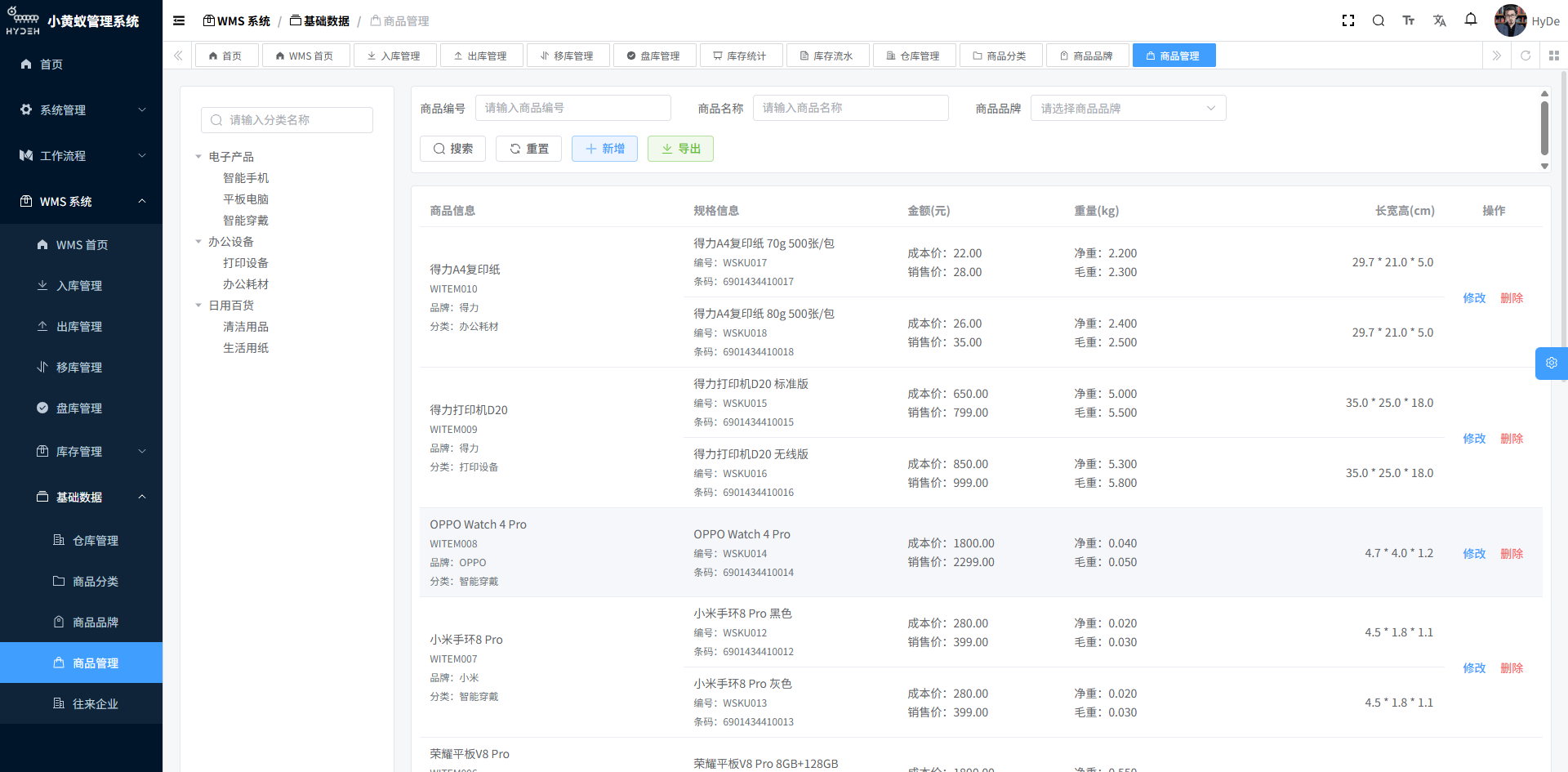
1. Master Data
Centrally manage the foundational information that powers warehouse operations:
- Warehouse Management: multi-warehouse, multi-zone and multi-location management with a configurable warehouse hierarchy
- Zone Planning: divide zones by function (receiving area, storage area, picking area, shipping area, returns area, etc.)
- Location Coding: unified location coding rules with barcode/QR-code label support
- Warehouse Staff: manage warehouse operators with role and permission assignment
- Unit of Measure: manage product units of measure and unit conversion rules
2. Inbound Management
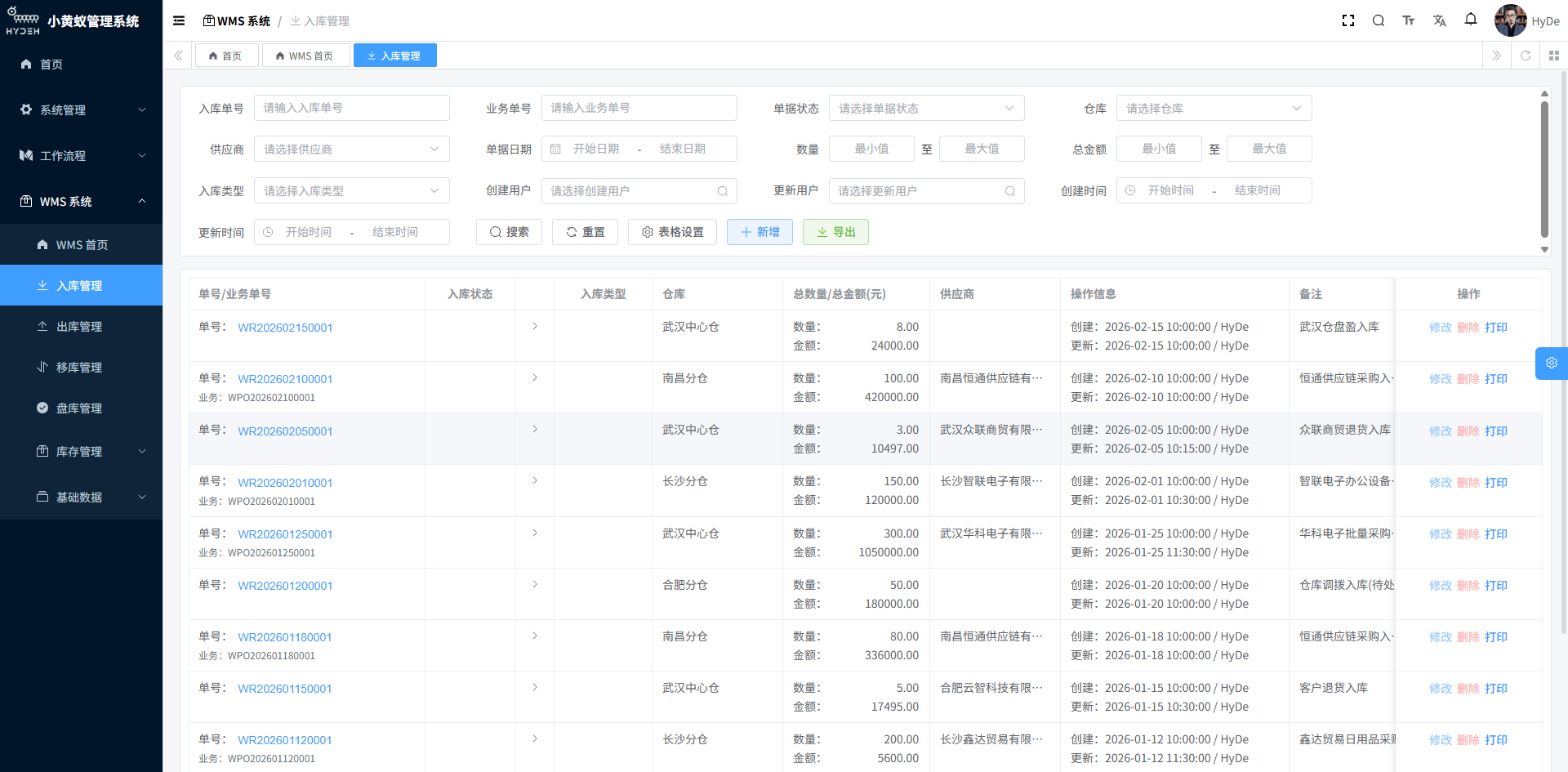
Covers the full process from goods receipt to putaway:
- Purchase Inbound: generate inbound orders from purchase orders, linking them to the PO and supplier
- Production Inbound: scan finished goods into stock after completion, linked to the production work order
- Returns Inbound: handle inbound of sales returns and purchase returns
- Inbound Quality Inspection: support quality inspection on arrival, with quarantine of non-conforming items
- Putaway Management: recommend putaway locations, confirmed by PDA scanning
- Inbound Records: complete inbound history with multi-dimensional queries
3. Outbound Management
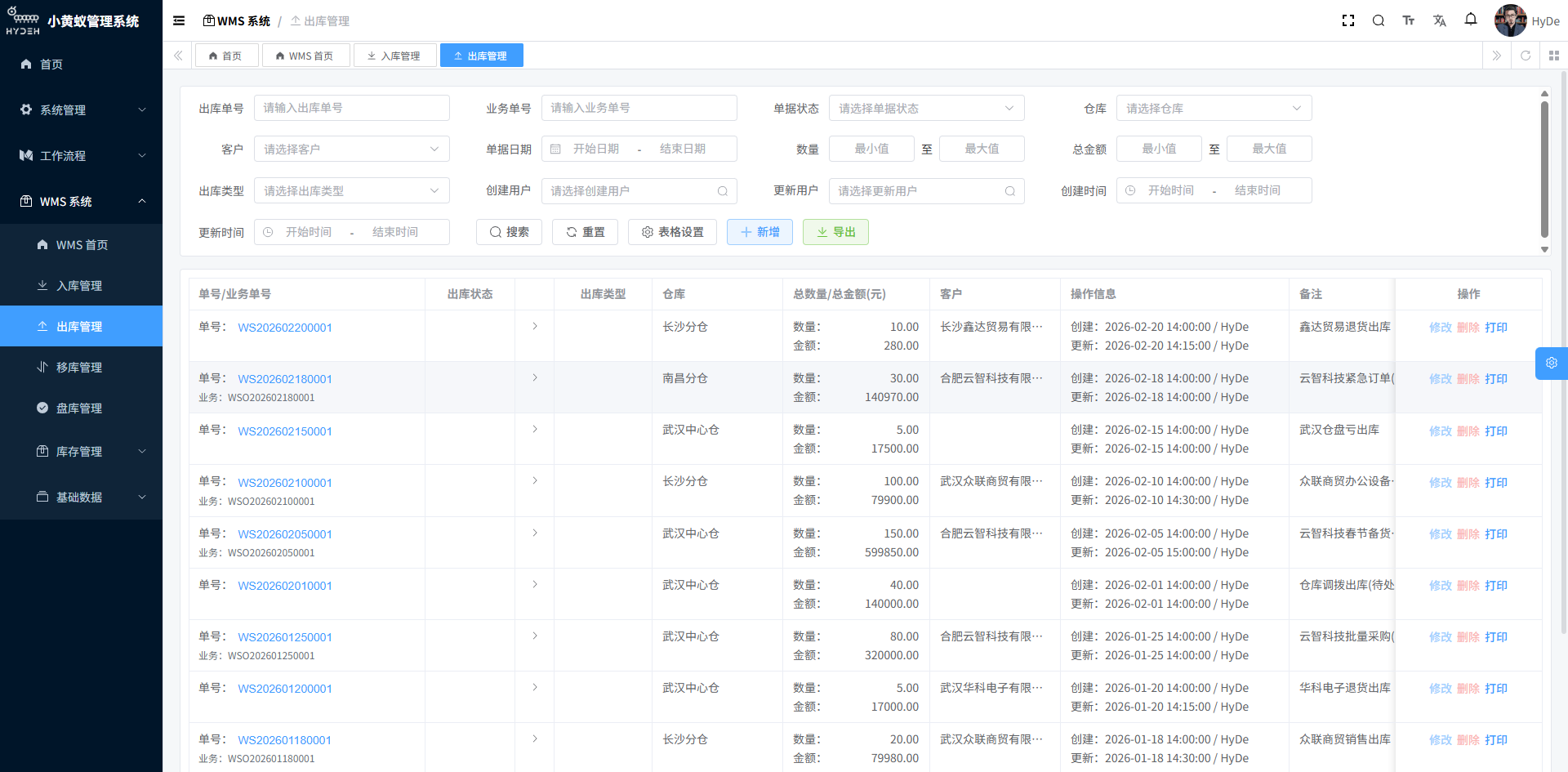
Covers the full process from order processing to shipping:
- Sales Outbound: generate outbound orders from sales orders, linked to customer information
- Picking Management: support multiple picking strategies such as wave picking and order-by-order picking
- Outbound Verification: scan to verify outbound products and quantities to prevent mis-shipments and omissions
- Packing & Shipping: weigh, pack, and generate courier labels / shipping orders
- Outbound Records: complete outbound history with traceable queries
4. Stock Transfer
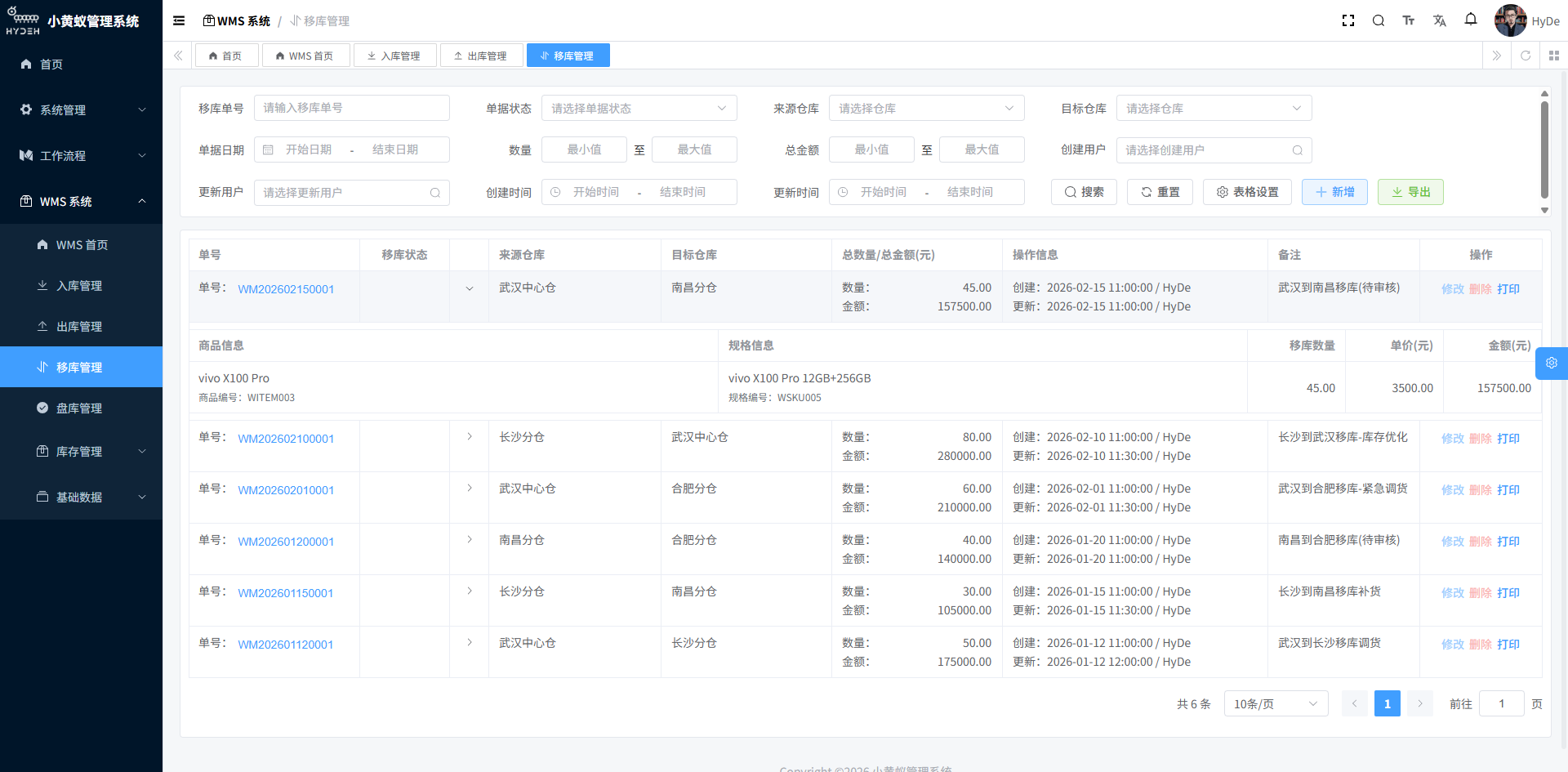
Satisfies internal inventory adjustment needs:
- Intra-Warehouse Transfer: move stock between locations within the same warehouse
- Inter-Warehouse Transfer: transfer stock between different warehouses, with an approval workflow
- Transfer Review: transfer operations require review and confirmation to keep inventory accurate
- Transfer Records: complete transfer history, queryable by time, product and warehouse
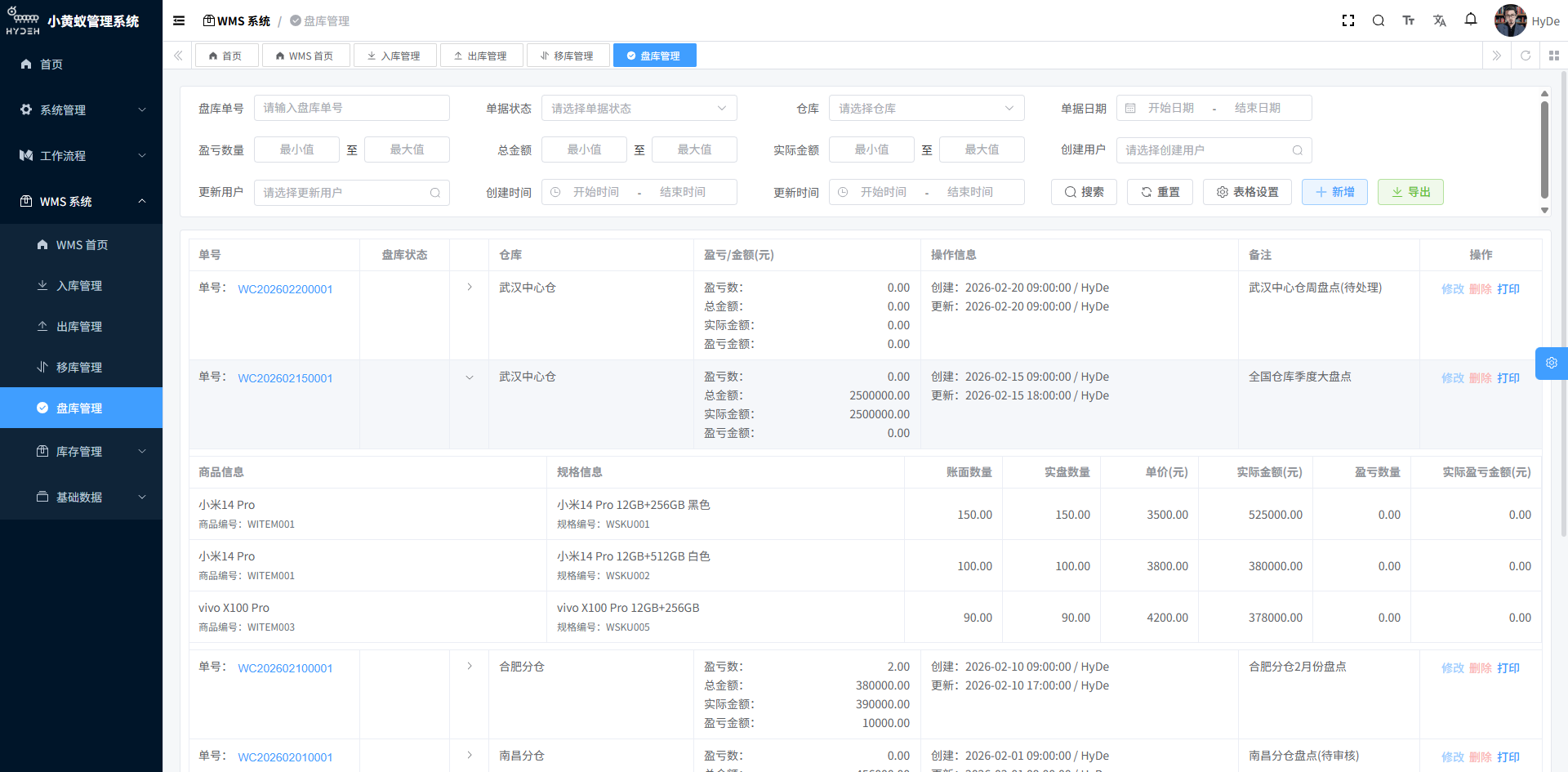
5. Stocktaking
The core method for ensuring inventory accuracy:
- Counting Plans: create periodic counting plans (monthly, quarterly, annually)
- Counting Methods: support full count, sample count, cycle count and more
- PDA Counting: scan-to-count on handheld terminals to improve counting efficiency and accuracy
- Gain & Loss Processing: review and adjust counting discrepancies, generating gain/loss reports
- Inventory Reconciliation: automatically update system inventory after counting is confirmed to keep books and physical stock in sync
6. Inventory Ledger & Analytics
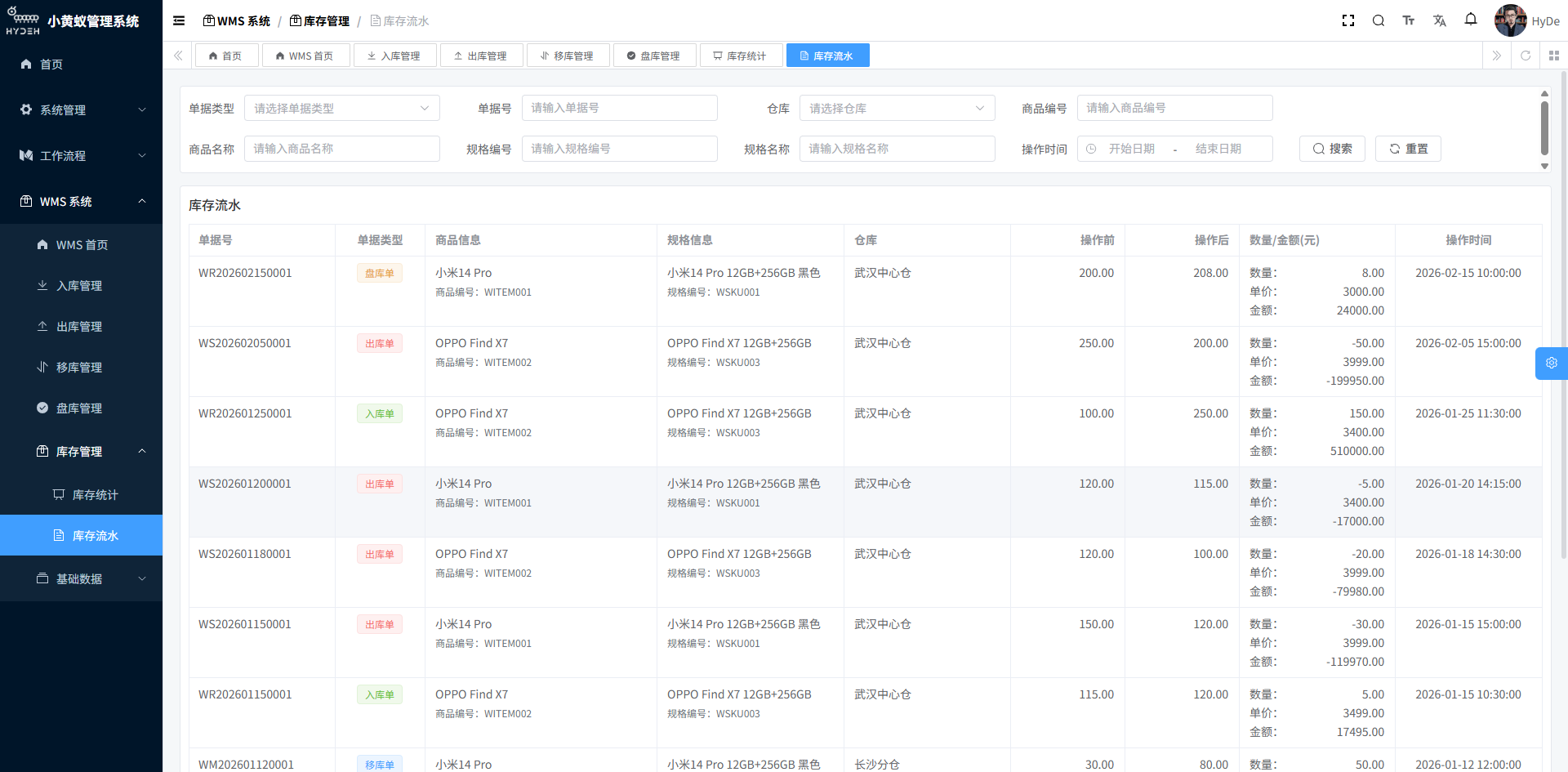
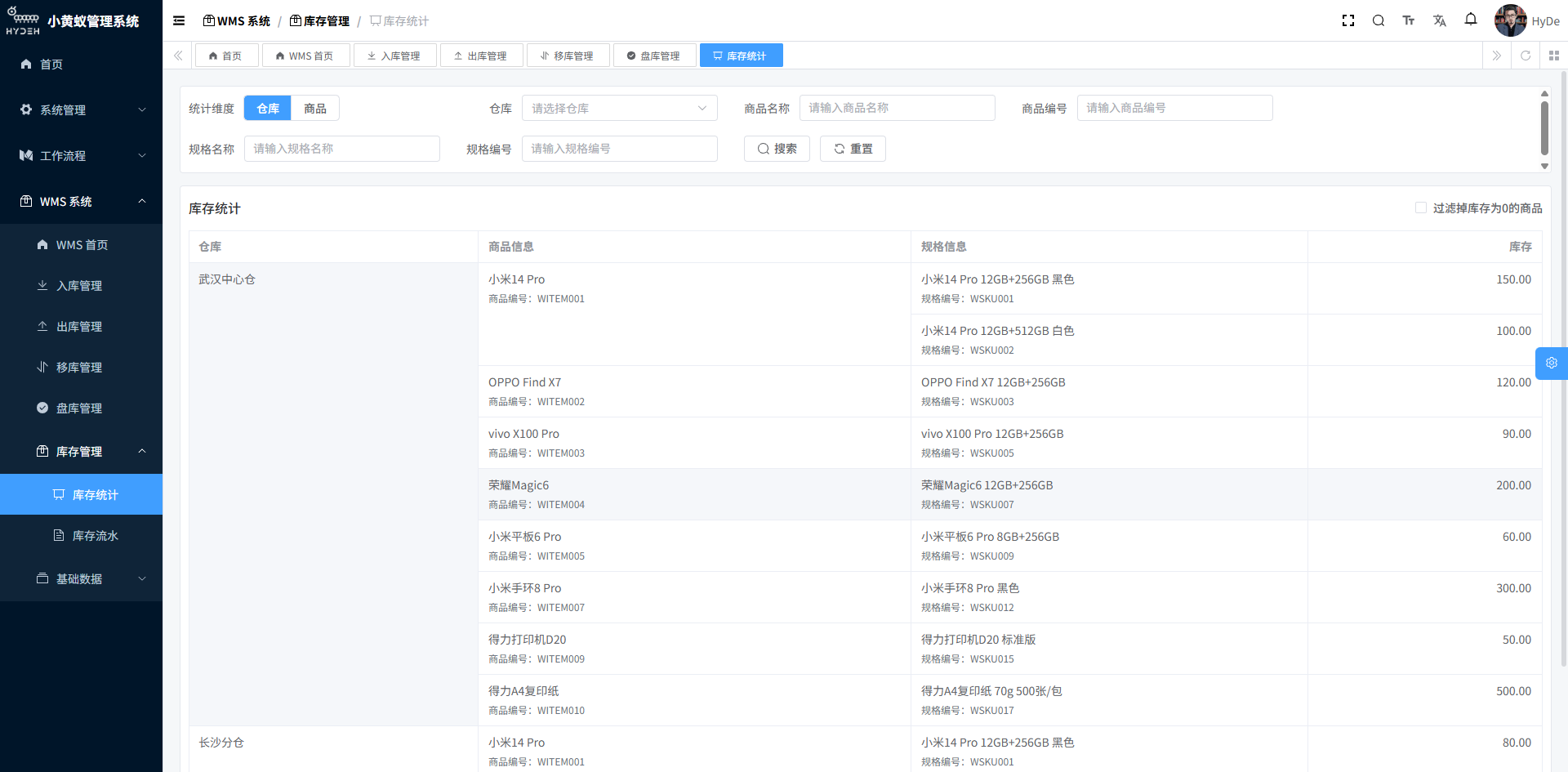
Track every inventory movement end-to-end and analyze inventory status from multiple dimensions:
- Inventory Ledger: record every inventory movement (inbound, outbound, transfer, counting adjustment), traceable back to the original document
- Inventory Statistics: aggregate inventory quantities and values by warehouse, product category and other dimensions
- Inventory Alerts: high/low threshold alerts to prevent stockouts or overstocking
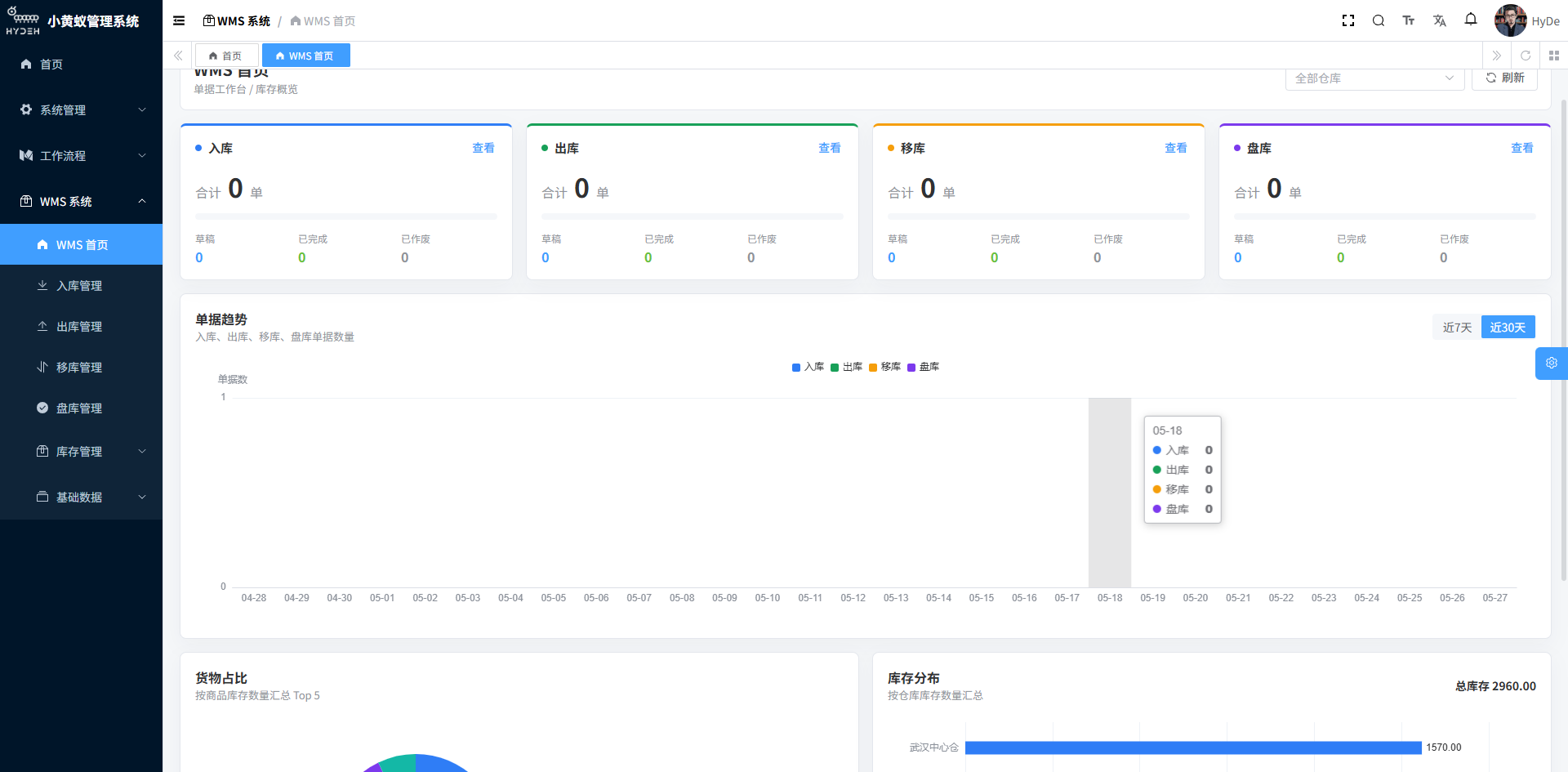
7. Dashboard
The system provides an intuitive dashboard so managers can quickly grasp warehouse operations:
Technology Stack
Spring Boot + Spring Security
Vue 3 + Element Plus
MySQL / Oracle / PostgreSQL
UniApp cross-platform mobile
barcode generation and scanning integration
Monolith / Spring Cloud microservices
Live Demo: https://www.hydeh.com/boot/
Tenant: WMS | Username: wmstest | Password: wmstest
After logging in, explore the full inbound, outbound, transfer and stocktaking features under the “WMS Warehouse Management” menu.