Enterprises commonly face several pain points in customer management: customer information scattered across individual sales reps’ WeChat or Excel files, sales processes that are hard to track, low opportunity conversion rates, opaque contract and payment statuses, and managers unable to get a real-time view of revenue progress.
This CRM system is designed around the L2C (Lead-to-Cash) workflow, digitizing the entire customer management process across six core modules:
End-to-End Business Workflow
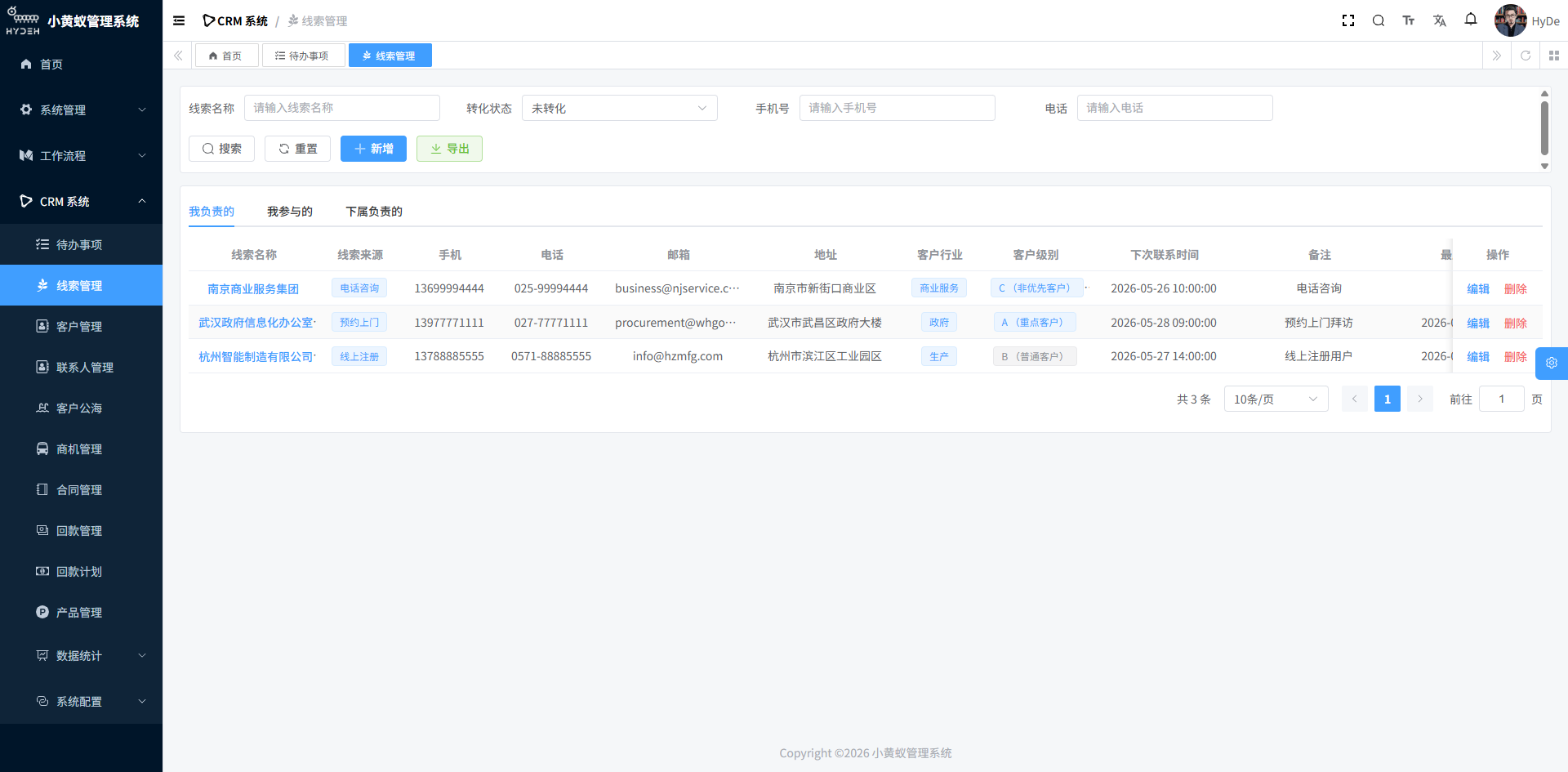
1. Lead Management — Capturing Prospects from Multiple Channels
Leads are the entry point of the CRM system and the starting point of all sales activities. They come from various channels: marketing campaigns, phone inquiries, advertising, referrals from existing customers, purchased raw data, and more.
Core Features:
- Multi-channel Lead Aggregation: Unified entry for prospect information from different channels (company name, contact details, industry, source, rating, etc.)
- Lead Follow-up: Record the content, time, and next-contact reminder for every follow-up so sales reps never miss a potential opportunity
- Lead Conversion: Once a lead expresses purchase intent and provides contact information, convert it to a formal customer in one click while preserving the follow-up history
- Lead Transfer: Assign leads to different sales owners for flexible resource allocation
Leads are like “seeds” — sales reps need to nurture and follow up with them until they grow into a formal customer relationship.
2. Customer Management — Building a Unified Customer View
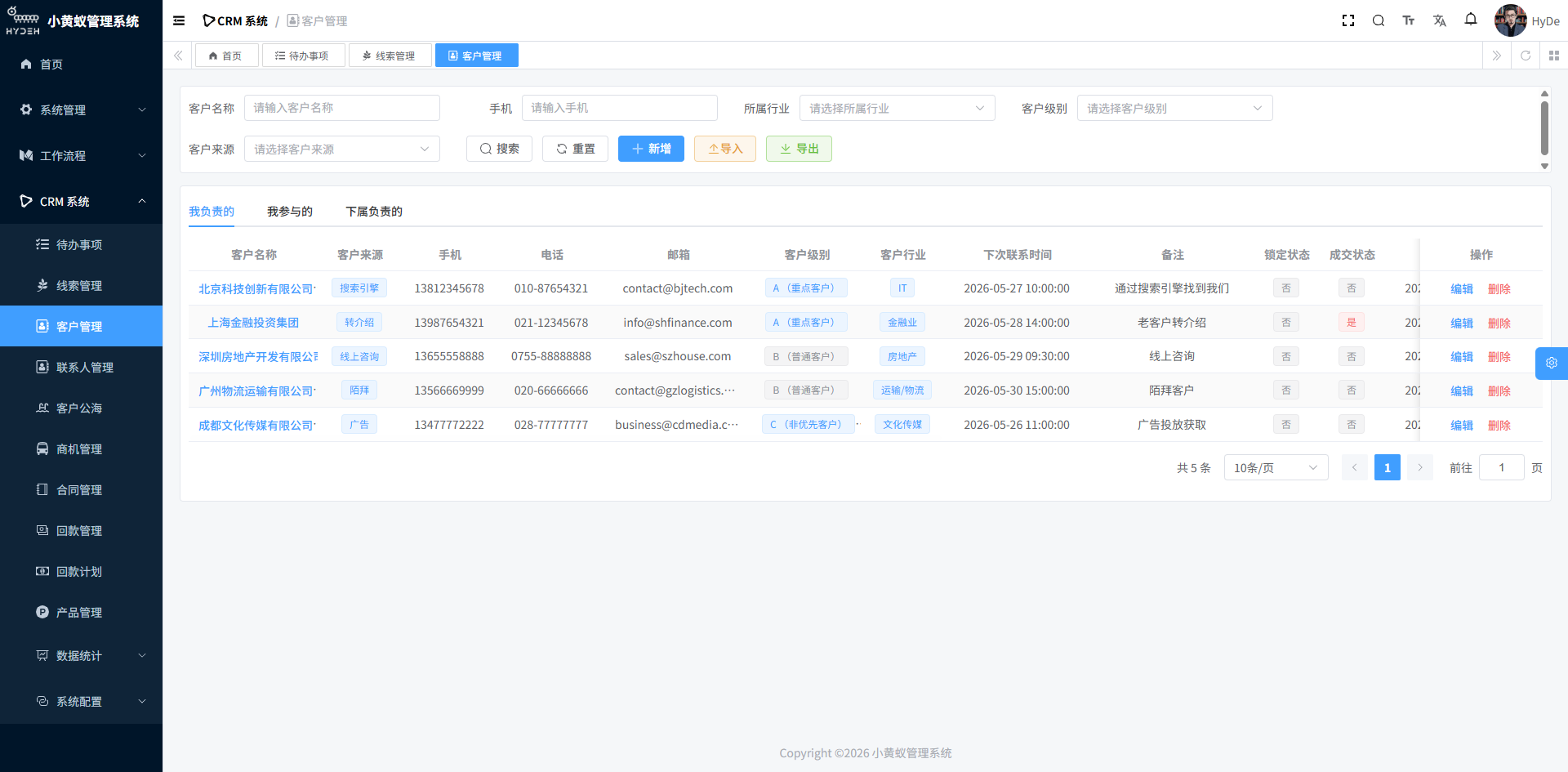
Once converted, leads become formal customers and enter the customer management module. The system provides two modes: “My Customers” and “Public Pool Customers.”
My Customers:
- Complete customer profile (basic info, contact details, industry, rating, source, etc.)
- Customer status tracking (locked, closed-won, follow-up status)
- Associated contact management (multiple contacts per customer)
- Complete view of linked opportunities, contracts, and payments
Public Pool Customers:
- Customers without an assigned owner automatically enter the public pool
- Sales reps can claim customers from the pool and become the owner
- Prevents customer resources from sitting idle and improves customer circulation efficiency
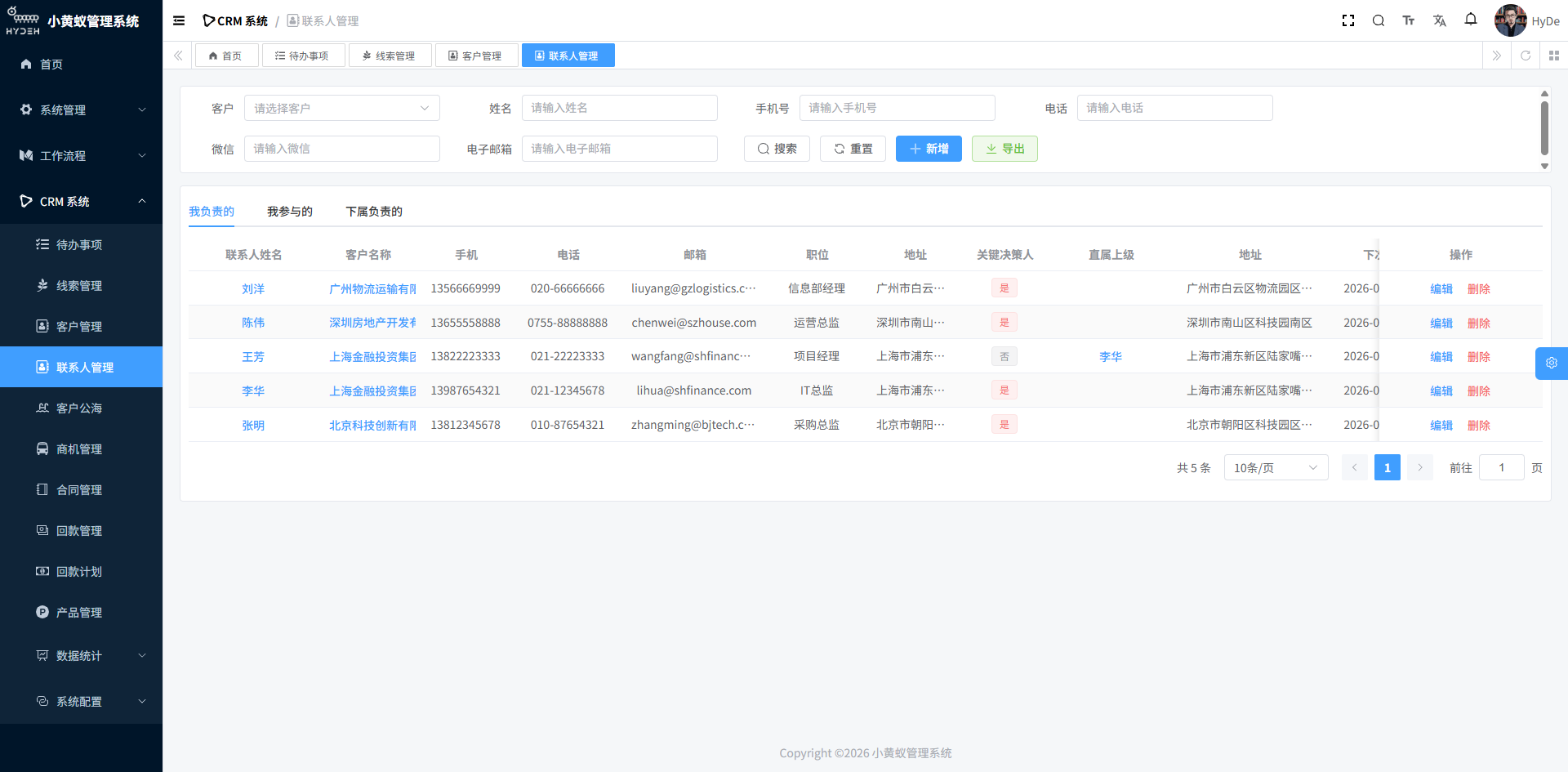
Contact Management:
- Each customer can be linked to multiple contacts (decision-makers, end users, finance contacts, etc.)
- Contacts can be associated with opportunities to track key people in specific deals
3. Opportunity Management — Visualizing Sales Stage Progression
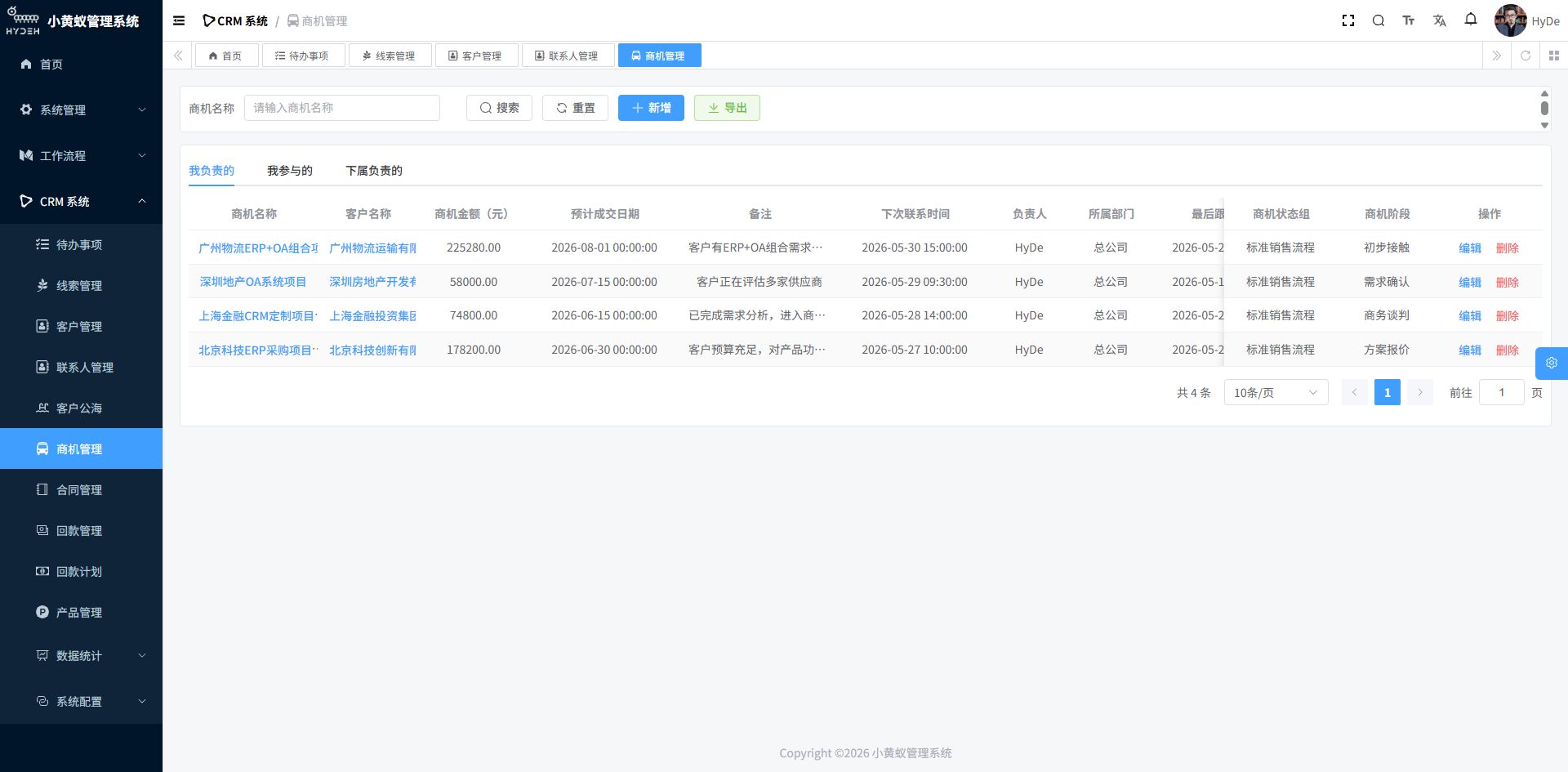
An opportunity is a business deal that may convert into actual revenue. It progresses through configurable sales stages until it is ultimately won or closed.
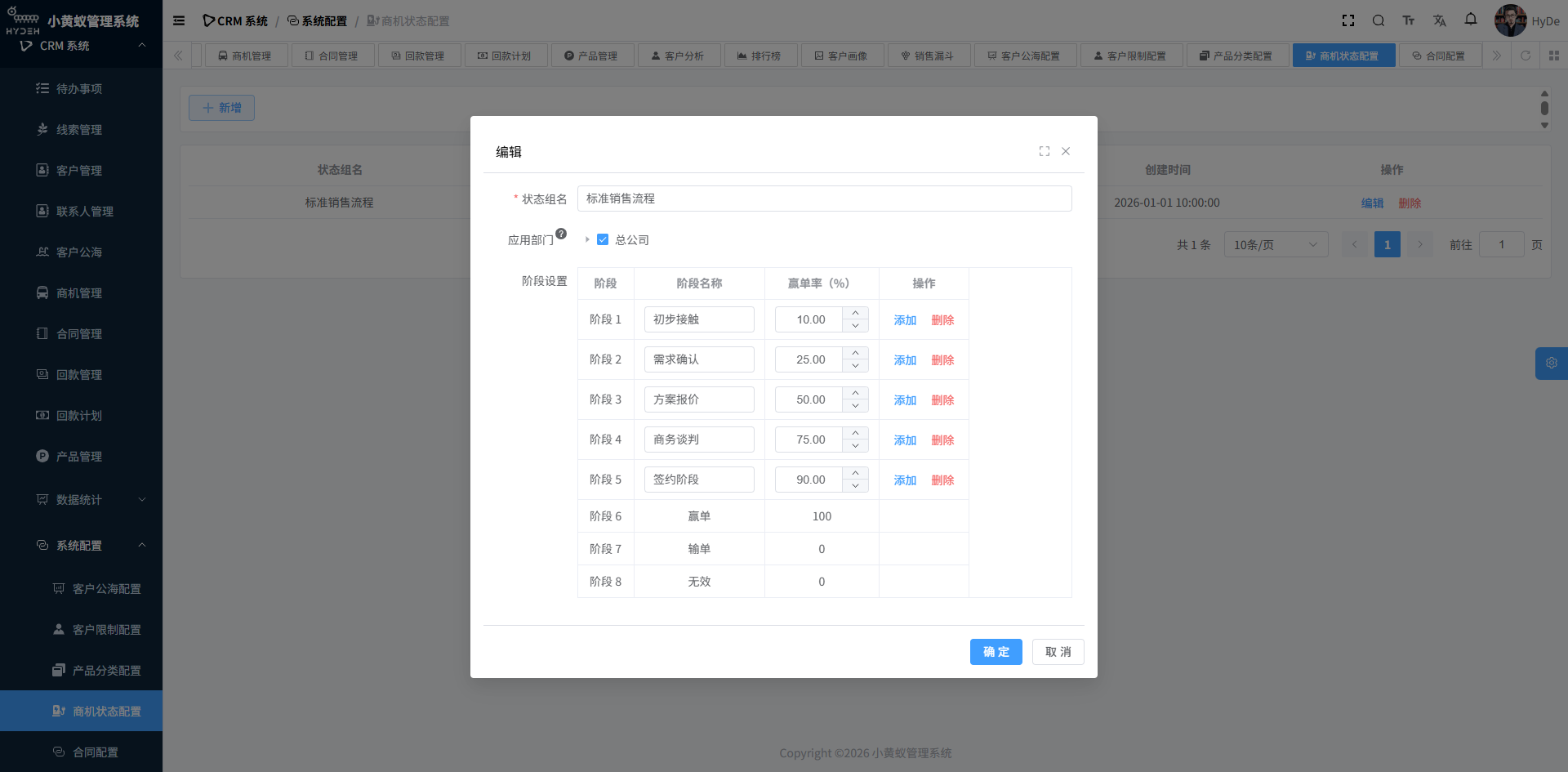
Opportunity Status Group Configuration:
- Different business lines can configure different sales stages
- Example status group:
Initial Contact → Needs Analysis → Solution Design → Business Negotiation → Contract Signing → Won / Lost / Invalid - Each stage can be assigned a win rate (e.g., 30% at Needs Analysis, 70% at Business Negotiation)
- Support for multiple status groups so different departments can use different sales processes
Opportunity Management:
- Opportunities are linked to customers, making it clear which customer each deal comes from
- Opportunity product line items: select products, set quantity and discount, and the system auto-calculates the total opportunity amount
- Status changes: advance or roll back opportunity stages at any time, ending with “Won / Lost / Invalid”
- Expected close date, follow-up records, and next-contact reminders
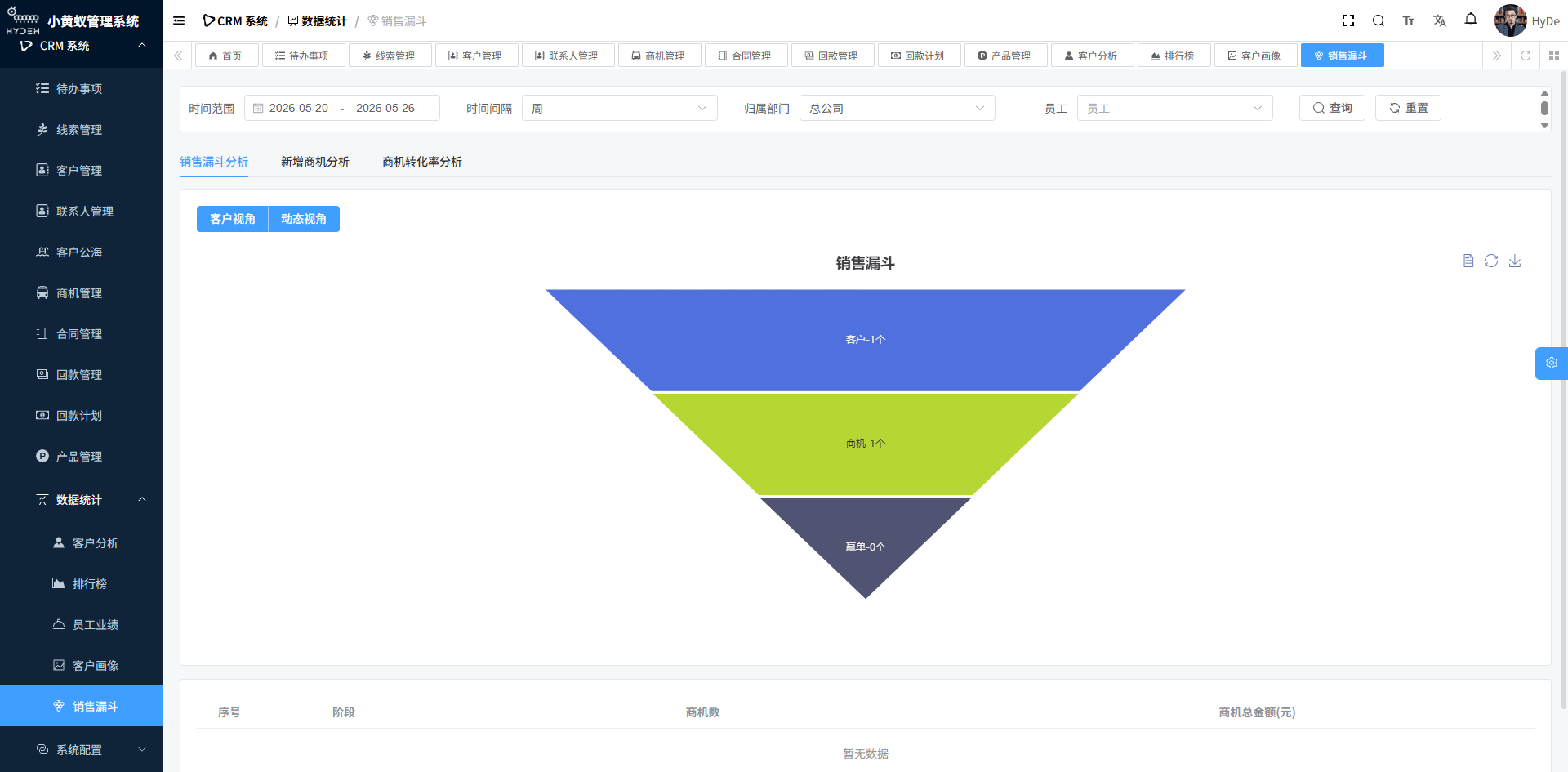
Opportunity management makes the sales funnel visible, allowing managers to see conversion rates at each stage and accurately forecast revenue.
4. Contract Management — Approval-Driven Business Closure
Once an opportunity reaches the “Contract Signing” stage, a formal contract is generated and enters the contract management workflow.
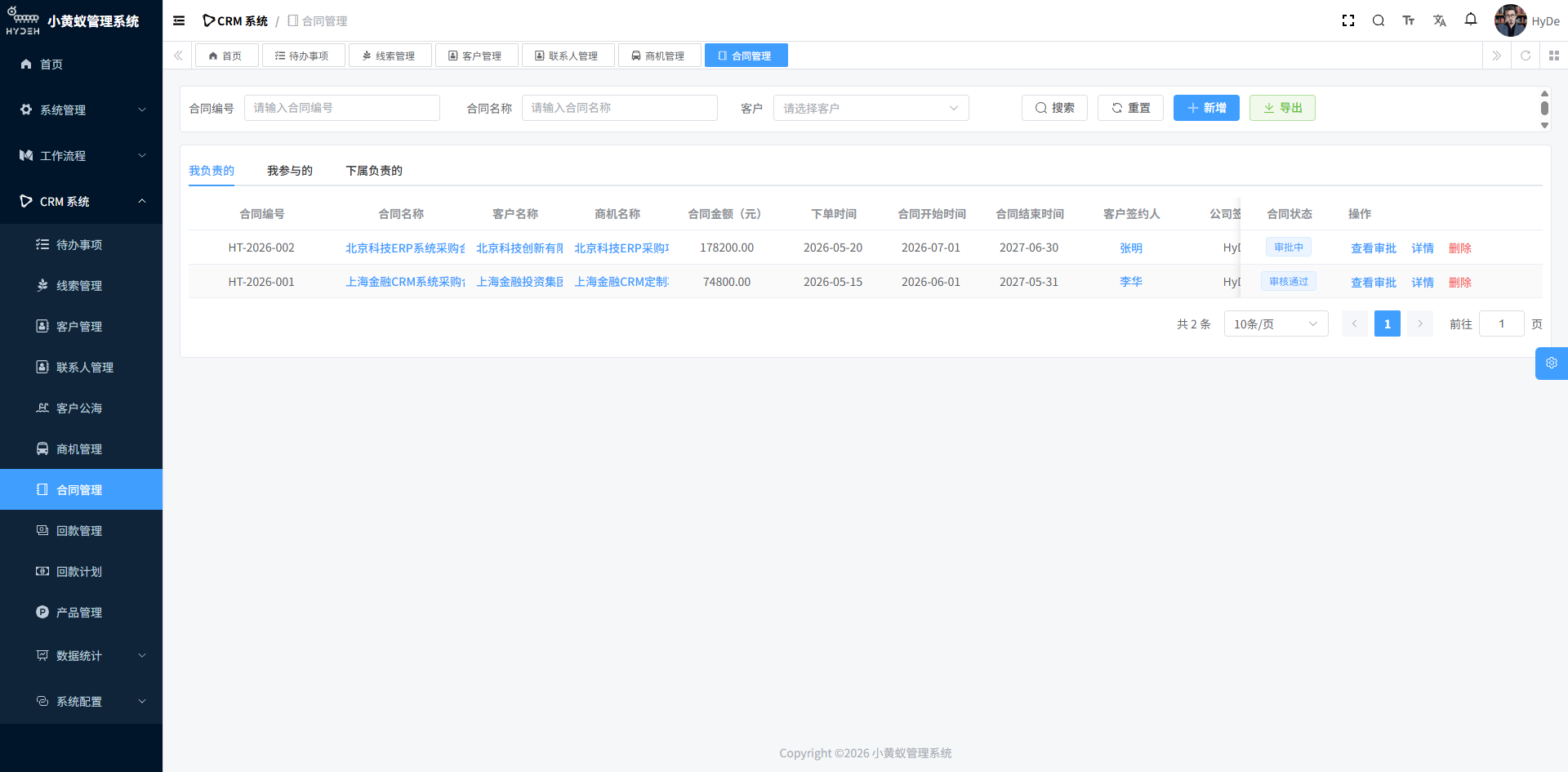
Contract Management:
- Auto-generated contract number (format:
{prefix}{YYYYMMDD}{6-digit increment}) - Contract information: customer, opportunity, amount (product amount × discount), signatory, start and end dates
- Contract product line items: product information carried over from the opportunity for quick contract generation
- BPM Approval Workflow: After submission, the contract automatically enters the approval process with support for multi-level approval nodes
- Approval status tracking: Not Submitted / In Approval / Approved / Rejected / Cancelled
5. Payment Management (Receivables) — End-to-End Payment Tracking
After the contract is signed, the process moves to the payment stage. The system supports two payment workflows to flexibly handle different business scenarios:
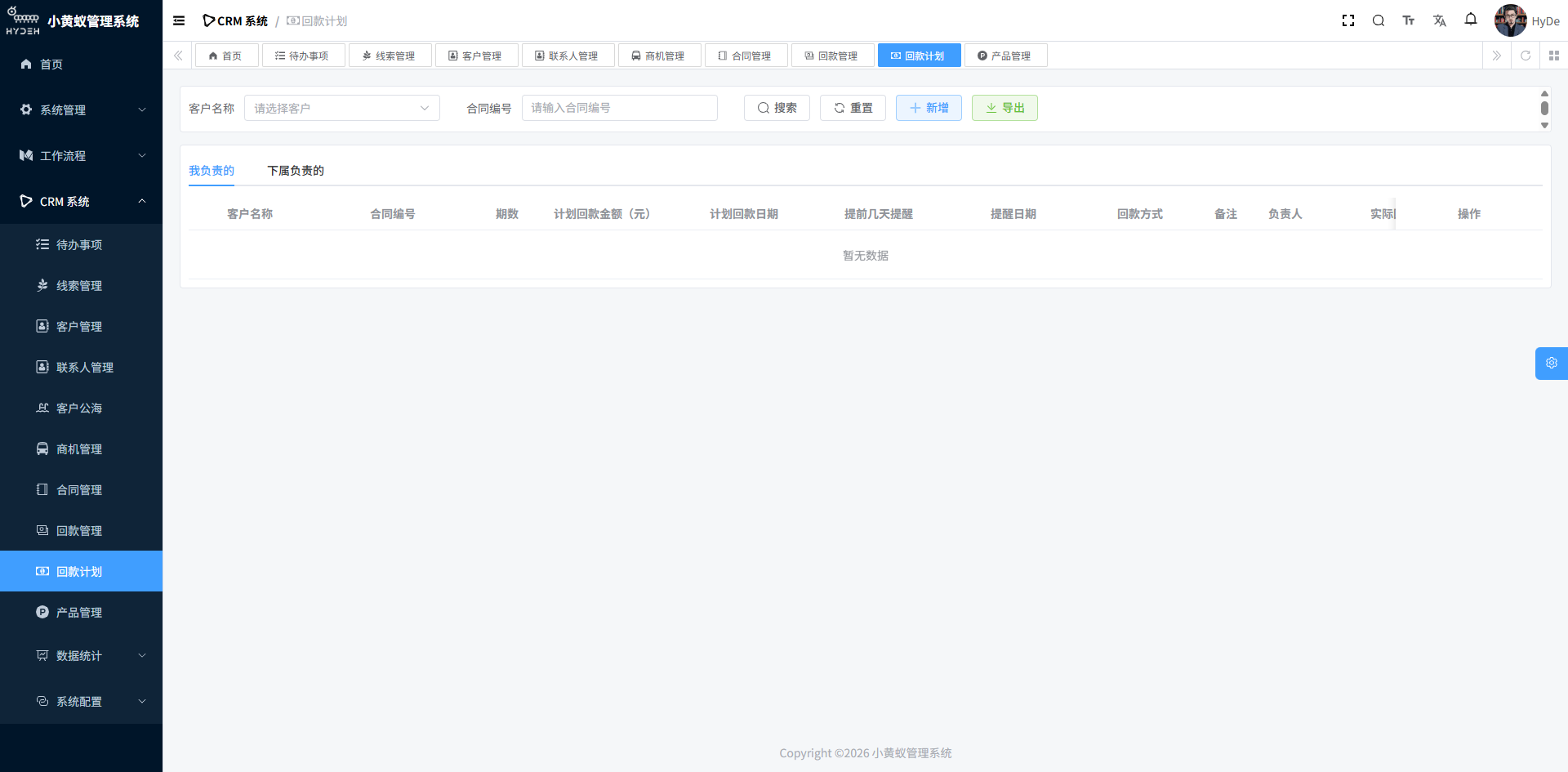
- Contract → Payment: One-time payment, suitable for low-value or one-time delivery deals
- Contract → Payment Plan → Payment: Installment payments, suitable for large contracts or phased delivery deals
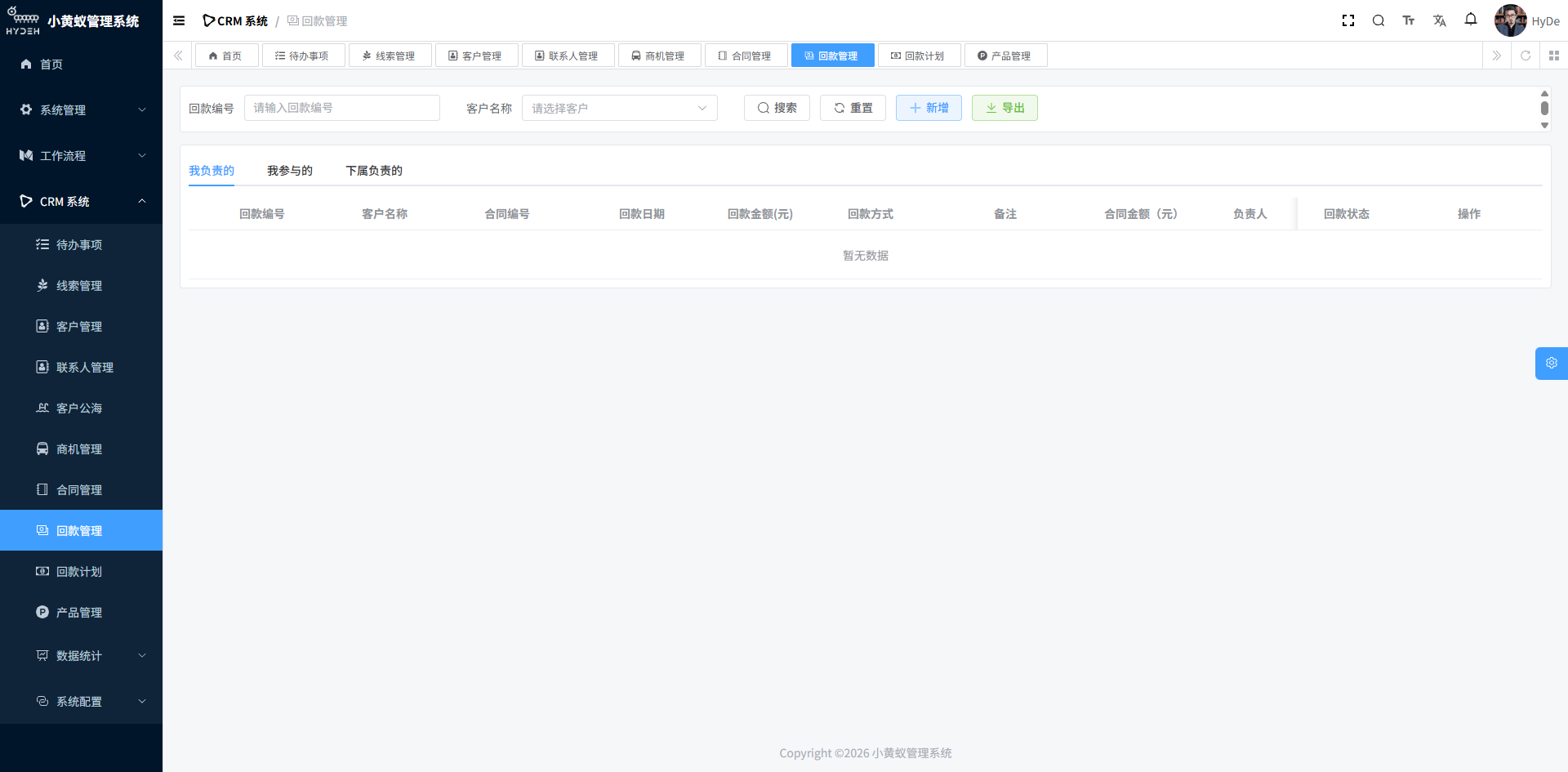
Payment Management:
- Auto-generated payment number
- Linked to the contract, making it clear which contract each payment corresponds to
- Payment method (bank transfer, cash, check, etc.)
- Record of payment date and actual settlement date
- BPM Approval Workflow: Payments also support an approval process to ensure financial compliance
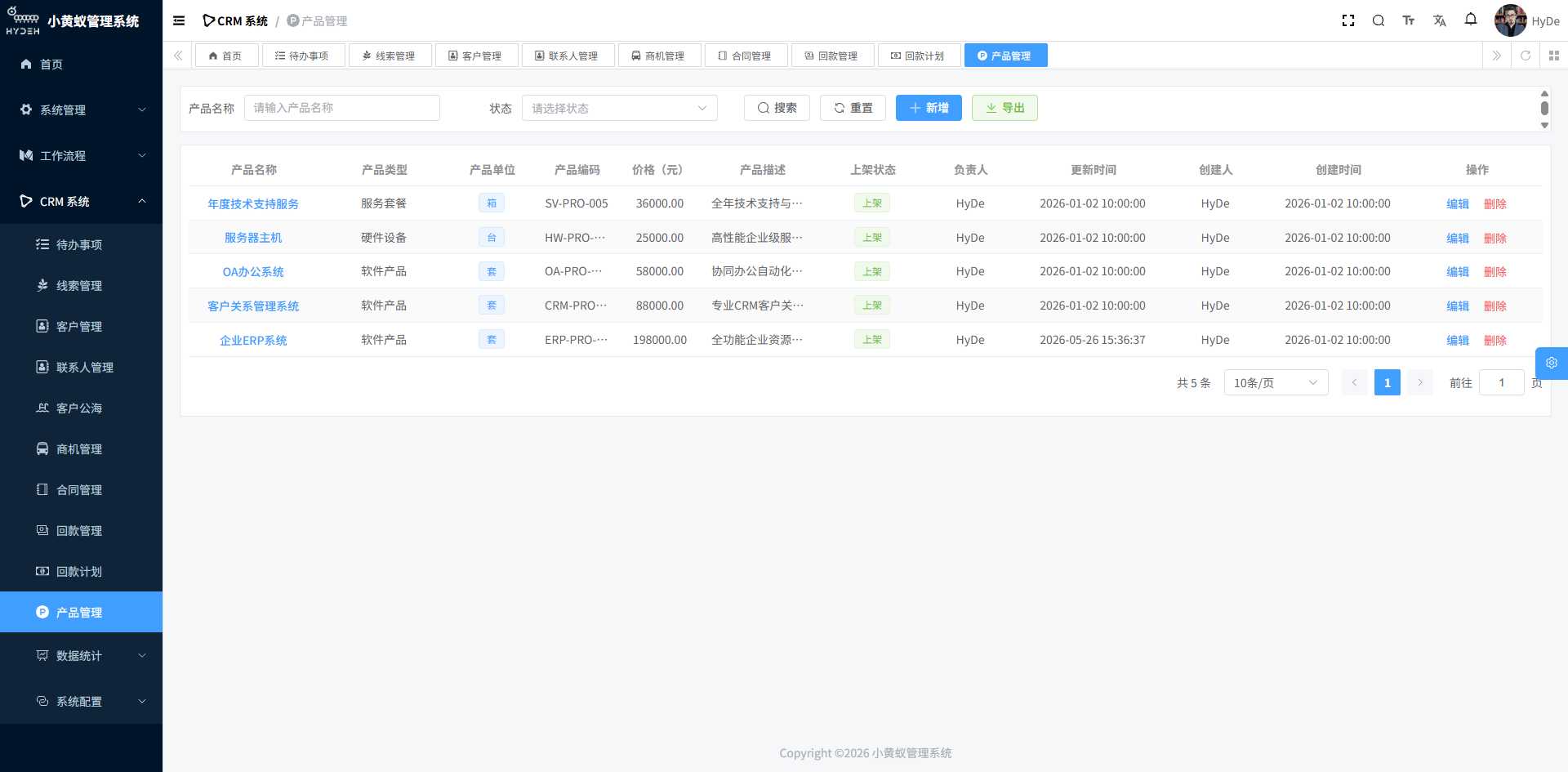
6. Product Management — A Unified Product Catalog
The CRM system includes a standalone product management module that supports two-level product categorization, providing product data support for opportunities and contracts:
- Product category management (level 1 / level 2 categories)
- Product information (name, price, unit, etc.)
- Products linked to opportunities and contracts, ensuring price consistency from quote to signing
Common Supporting Features
Follow-up Records
Follow-up records are supported across all business objects: leads, customers, contacts, opportunities, contracts, and more. Each follow-up can record:
- Follow-up type and content
- Next contact time (auto-reminder)
- Upload images and attachments
- Link to opportunities and contacts
To-Do Items
The system automatically generates to-do items to help sales reps and managers work efficiently:
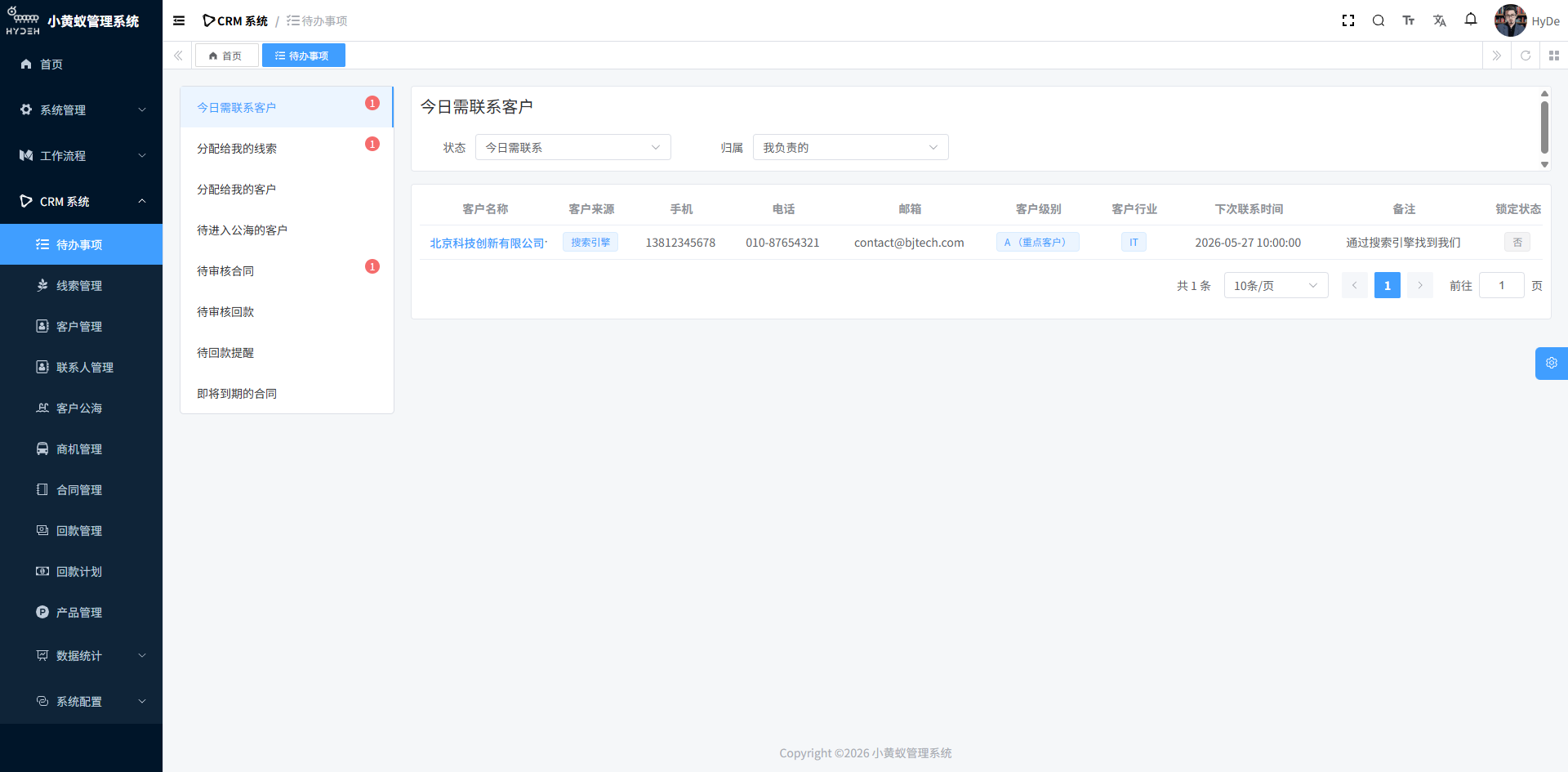
- Customers / opportunities to follow up today
- Contracts / payments pending approval
- Overdue payment reminders
Data Access Control
The system implements data access control based on an “owner” mechanism:
- Every business object has a clear owner (sales rep)
- Employees can only see data they own
- Managers can view team data
- Flexible data scope configuration
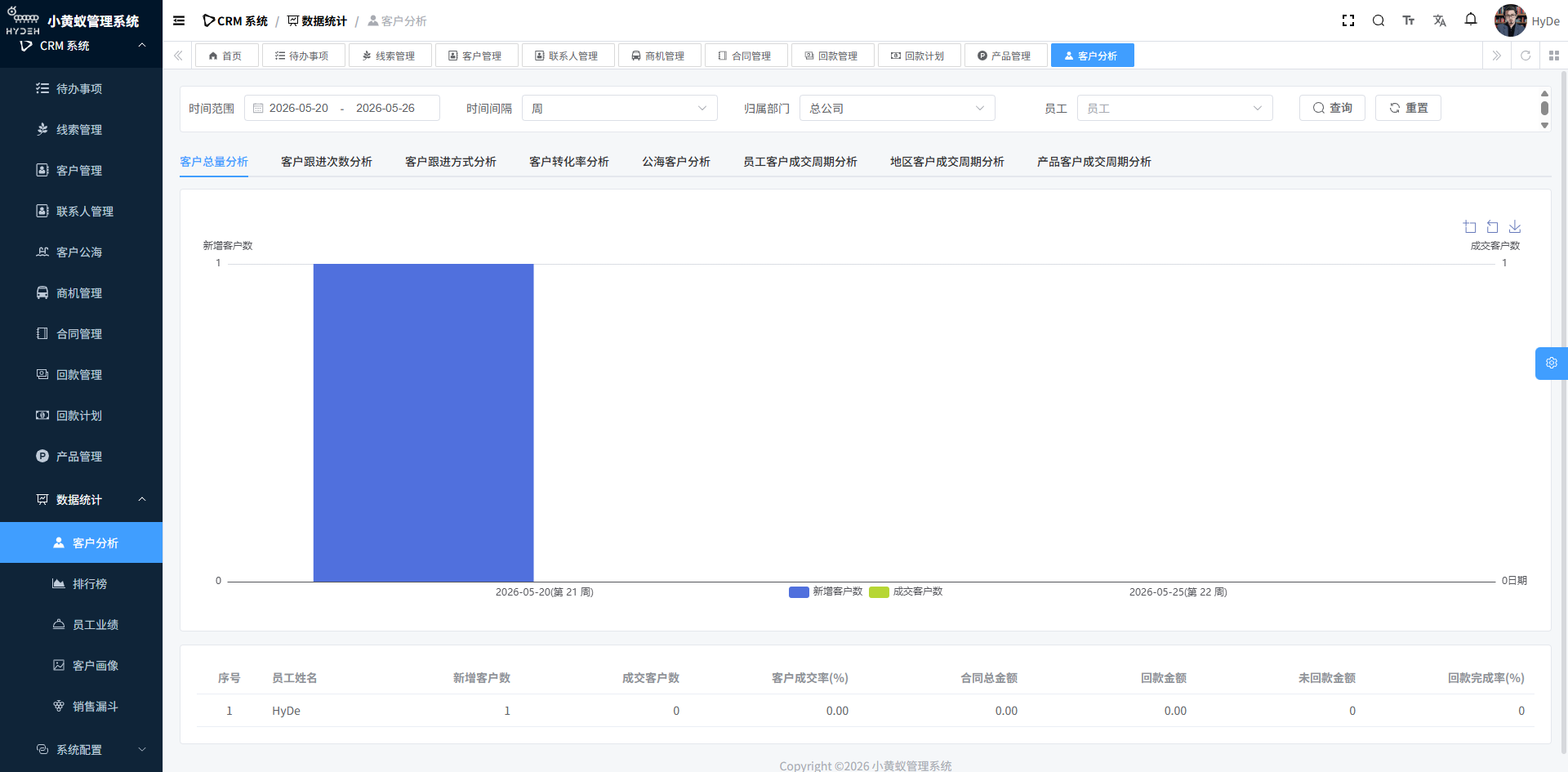
Data Statistics & Analytics
System Configuration
The system provides flexible configuration capabilities to meet the personalized needs of different business lines:
Tech Stack
Spring Boot + Spring Security + MyBatis Plus
Vue 3 + Element Plus
MySQL / Oracle / PostgreSQL
BPM Approval Engine
Modular Maven Module
Monolithic / Spring Cloud Microservices
Live Demo: https://www.hydeh.com/boot/
Tenant: CRM | Username: crmtest | Password: crmtest
After logging in, you can explore the full feature set under the “CRM System” menu.